
If today’s business world was a henhouse, digital data rules the roost, and strong cybersecurity keeps the fox out. The fox learns from its failures and continuously seeks new ways to get in. What defines a digitally based world is that it is in a constant state of transformation: as cyber threats evolve, businesses need to be prepared.
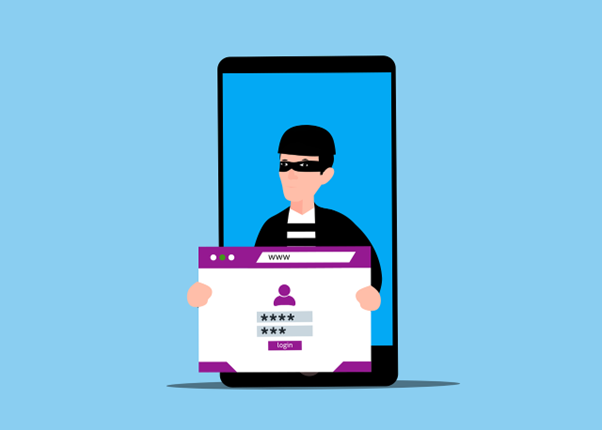
One of the smoothest inroads for hackers is credential theft, which has become one of the most damaging cyber threats today. Whether through well-crafted phishing scams or an all-out direct attack, cybercriminals are continually honing their skills and adapting their tactics to gain access to system credentials. They seek to compromise the very fabric of the corporate digital landscape and access sensitive corporate resources.
Credential Theft is huge – and growing. According to Verizon’s 2025 Data Breach Investigations Report, over 70% of breaches involve stolen credentials. The implications for businesses of every size are crippling financial loss which in many companies can mean closing the doors forever. Then there’s the reputational damage and lack of trust from customers.
Those days when you thought were protected solely by passwords to secure systems and devices are long gone. With the new age of cyber threats lingering just beyond the gates, you have to take advanced measures to properly secure the authentication infrastructure. Only by doing this can you hope to mitigate the risk of credential-based attacks.
What are the methods of credential theft?
There are not only methods, but credential theft utilizes a veritable symphony of connected tactics that builds from the first note and rises in intensity and intent over the course of weeks or months. It typically begins with cyber attackers gaining access to usernames and passwords using a variety of methods:
Phishing: These fraudulent emails can trick users into revealing their credentials via fake login pages or official-looking correspondence.
Keylogging: This infiltrates a malware into your system that records each keystroke to gain access to the login and password information.
Credential Stuffing: This application uses lists of leaked credentials from other data breaches to try to breach security measures.
Man-in-the-middle (MitM) Attacks: This is a sneaky one. These occur when attackers hack into an email conversation, speaking to both participants by pretending to be the other. Then, they can intercept credentials on unsecured networks.
What are the limitations of Basic Authentication?
This area is the prime battlefield between Old School and New School, and Old School just can’t cut it anymore. organizations have historically depended on username and password combinations to provide their primary means of authentication. This is not adequate any longer. There are several reasons why organizations need to up the ante on their authentication processes:
Users tend to choose weak, guessable passwords.
Passwords are often reused across platforms.
Passwords can be easily phished or stolen.
Here are some ways to bolster the security surrounding your authentication process:
How do I protect my login?
To keep your logins safe and effectively combat credential theft, you should adopt a multi-layered approach that includes both preventive and detective controls. Below are several advanced methods for securing business logins:
MFA (Multi-Factor Authentication)
For anyone who reads the blog pages here at IT Support LA, this will be a very familiar recommendation: MFA is one of the simplest yet most effective methods to prevent credential theft. It requires users to provide two verification points. This typically includes a password, coupled with an additional piece of information sent to a secure device or email account that needs to be entered. It could also require a biometric measure for authentication, usually a fingerprint scan.
You can also use hardware-based authentication methods like YubiKeys or app-based tokens like those required by Google Authenticator or Duo. These are highly resistant to phishing attempts and recommended for high-value accounts.
Authentication Without Passwords
Some of the newer, emerging frameworks have completely abandoned the username and password authentication method entirely in a move to further secure systems,. Instead, they employ the following:
Biometrics use fingerprints, retinal scans, or facial recognition for authentication purposes. This is on a rapid rise.
SSO (Single Sign-On) is used with enterprise identity providers.
Push notifications employ mobile apps that approve or deny login attempts.
Anomaly Detection and Behavioral Analytics
Artificial intelligence empowers many modern authentication systems to detect unusual behavior surrounding authentication attempts. Some of the anomalies these methods look for include:
Logins from unfamiliar devices or locations
Access attempts at unusual times
Multiple failed login attempts
By continuously monitoring login patterns you can proactively prevent damage before it occurs.
Zero Trust
Zero Zrust is exactly what it sounds like. It adopts the simple principle of “never trust, always verify.” This basis is the opposite of most traditional methodologies. Instead of trusting users inside the network, Zero Trust authenticates and authorizes on a continuous basis. Every request made by a given user is determined by contextual signals such as device location and identity.
Employee Training
No technology or cybersecurity strategy is worth its salt if your people don’t know how to use it effectively – or how to spot potential dangers. While methods to secure digital landscapes are vital, they can all be undone by simple human intervention. In fact, human error is the leading cause of data breaches. To curb this trend, organizations should regularly provide Security Awareness Training to be diligent in their system use.
Training should include:
How to recognize phishing attempts
Use of password managers
Learn to avoid credential reuse
The use and understanding of the importance of MFA
Consistently, over 90% of data breaches involve some type of human error. An informed workforce is a critical line of defense against credential theft.
Credential Theft is Still Inevitable
Cybersecurity is like a game of ‘Whack-a-Mole.’ As attackers become increasingly sophisticated in their attempts to compromise system credentials, theft is no longer a matter of if, it’s a matter of when.
You cannot afford to rely on outdated defenses; stronger protection is essential. By implementing MFA, adopting Zero Trust policies, and prioritizing proactive security strategies, you can stay ahead of emerging threats and minimize the damage when they do occur.
Contact us today for the resources, tools, and expert guidance you need to build stronger defenses and keep your business secure.
Frequently Asked Questions
Is it better to delete or report phishing emails?
The best practice is to report them first, then delete them. Reporting helps email providers improve filters and block future attacks, protecting everyone. Use the ‘Report Phishing’ or ‘Report Spam’ button.
Is 2FA better than MFA?
MFA wins hands-down. MFA provides superior security by requiring two or more different factors of authentication (a minimum of three factors is best) to verify a user's identity compared to two-factor authentication (2FA), which is becoming increasingly risky to use.
Which password cannot be hacked?
Technically, there is no such thing as an ‘unhackable’ password. Your best bet is to create extremely strong ones. Check out our tips for Creating Strong Passwords.
Is a password manager really needed?
For the best cybersecurity, a password manager is a must – plus, it makes life much easier on users. It can not only remember all your passwords, but it can generate and remember complex, difficult to crack passwords as well.
How secure is your network?
As a reputable member of the IT Support Los Angeles community since 2002, IT Support LA offers a FREE, no-risk network and cybersecurity assessment. It is a non-intrusive scan that allows us to deliver a comprehensive report that is yours to keep. No strings, and no obligation to ever use our Managed IT Services.
The best defenses are expert security to protect your data from theft, and a top-notch Managed Services Provider (MSP) to ensure continued reliability and defenses against newly emerging threats.
With our 100% Money Back Guarantee in writing, we offer a risk-free way for prospective clients to try us out. Because we do not require a ‘hard’ contract, our clients can fire us at any time with 30 days’ notice. We have to be good.
Among the Managed IT services we provide:
IT HelpDesk Service
Onsite IT Support
Cybersecurity
Cloud migration and management
Email migration services
Backup and disaster recovery
VoIP phone systems
IT disposition and recycling
Office moves
White label services (IT to IT)
IT Support LA is an award-winning Managed Services Provider (MSP):
o 3 Years awarded Best IT by the Small Business Expo
o Awarded 2nd best company of any type in the US by the Small Business Expo SB100
o Awarded Best IT Support in California by Channel Futures
o Winner of Best IT in Los Angeles by Channel Futures
o Listed as one of the world’s Top 501 MSPs by CRN and in the top 250 in the ‘Pioneer’ listing
o 4 years listed as one of the Top 501 MSPs in the World by Channel Futures
o Listed as #21 MSP in the World in Channel Futures NextGen 101
o Globee 2021 Bronze Award winner for Chief Technology Officer of the Year
o Globee 2022 Gold Award winner for Chief Technology Officer of the Year
o Named one of 2022’s 50 ‘Best’ businesses in California by UpCity
o Named Best of IT winner by UpCity
o Winner of Local Excellence Award for 2021, 2022 and 2023 by UpCity
o Named Best of Cloud Consulting winner by UpCity
o Certified as Top Managed Services Providers and Cybersecurity Pro by UpCity
o Named Best IT in Los Angeles by Expertise.com.
Planning an Office Move?
Contact IT Support LA today! We have the experience to ensure a seamless transition. After the move, your employees will arrive at the new location to find their IT infrastructure ready and open for business!
For more information on moving services, or to receive your FREE no-risk network and security assessment, just fill out the form on this page or call us at:
818-805-0909